Financial Reports and Tax Compliance
Data is the lifeblood of any growing enterprise. Beyond generating bills and tracking inventory, the Evolvv financial reporting software acts as a complete business intelligence layer. It automatically compiles your daily transactional data into actionable analytics and audit-ready tax reports.
Whether your Chartered Accountant needs this month's GST filings or your sales team needs to analyze customer distribution, the Reports Center provides instant, accurate data extraction.
Here is an overview of how to navigate and utilize the Reports Center.
Step 1: The Reports Center Dashboard
Navigate to the Reports tab on your left-hand Invoicing menu.
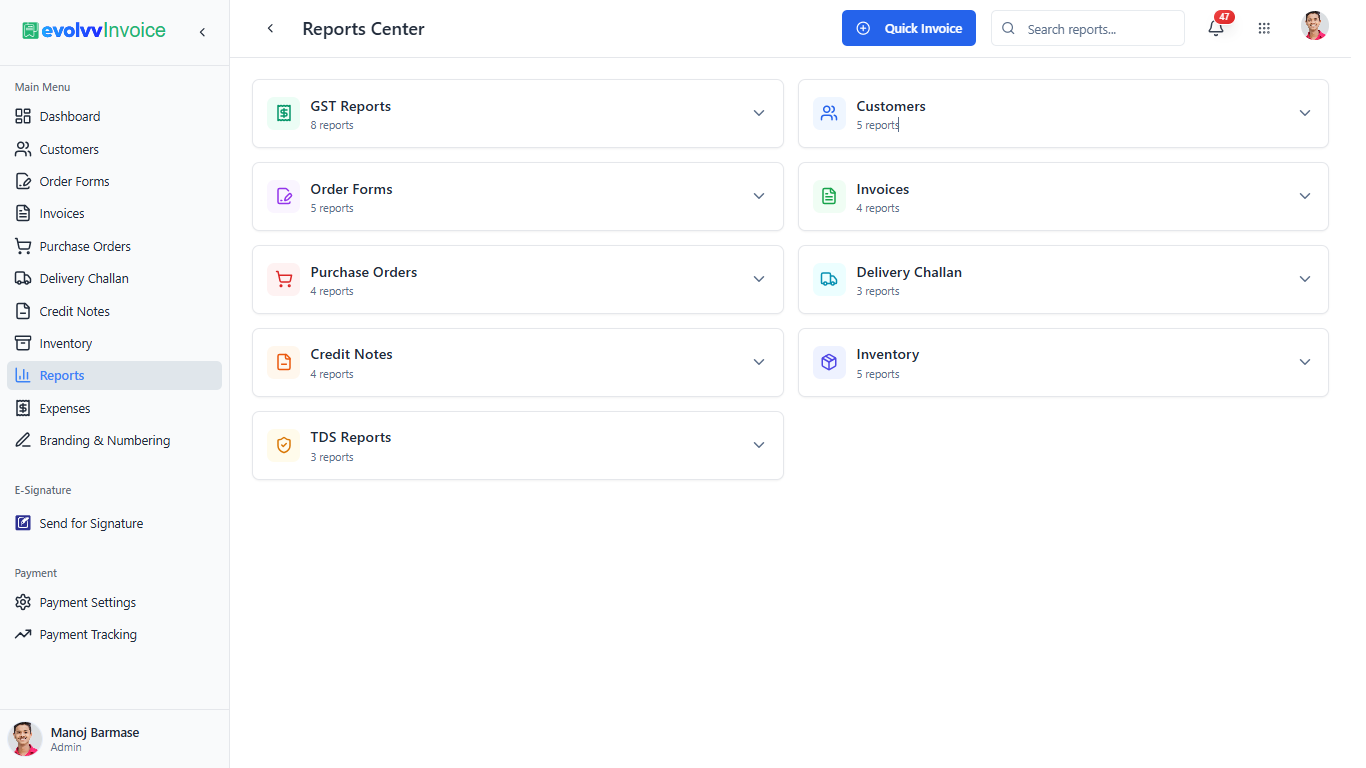
The Reports Center is categorized logically to help you find exactly what you need without digging through raw data. The dashboard features dedicated collapsible modules for every core business function:
- Taxation: GST Reports and TDS Reports.
- Sales & Receivables: Customers, Order Forms, Invoices, and Credit Notes.
- Procurement & Logistics: Purchase Orders, Delivery Challans, and Inventory.
Use the global Search reports... bar at the top right if you are looking for a highly specific ledger or summary.
Step 2: Deep Dive into GST & Tax Compliance
For businesses operating in tax-regulated jurisdictions like India, generating manual tax returns is a massive pain point. Evolvv automates this entirely.
Click on the GST Reports module to expand it.
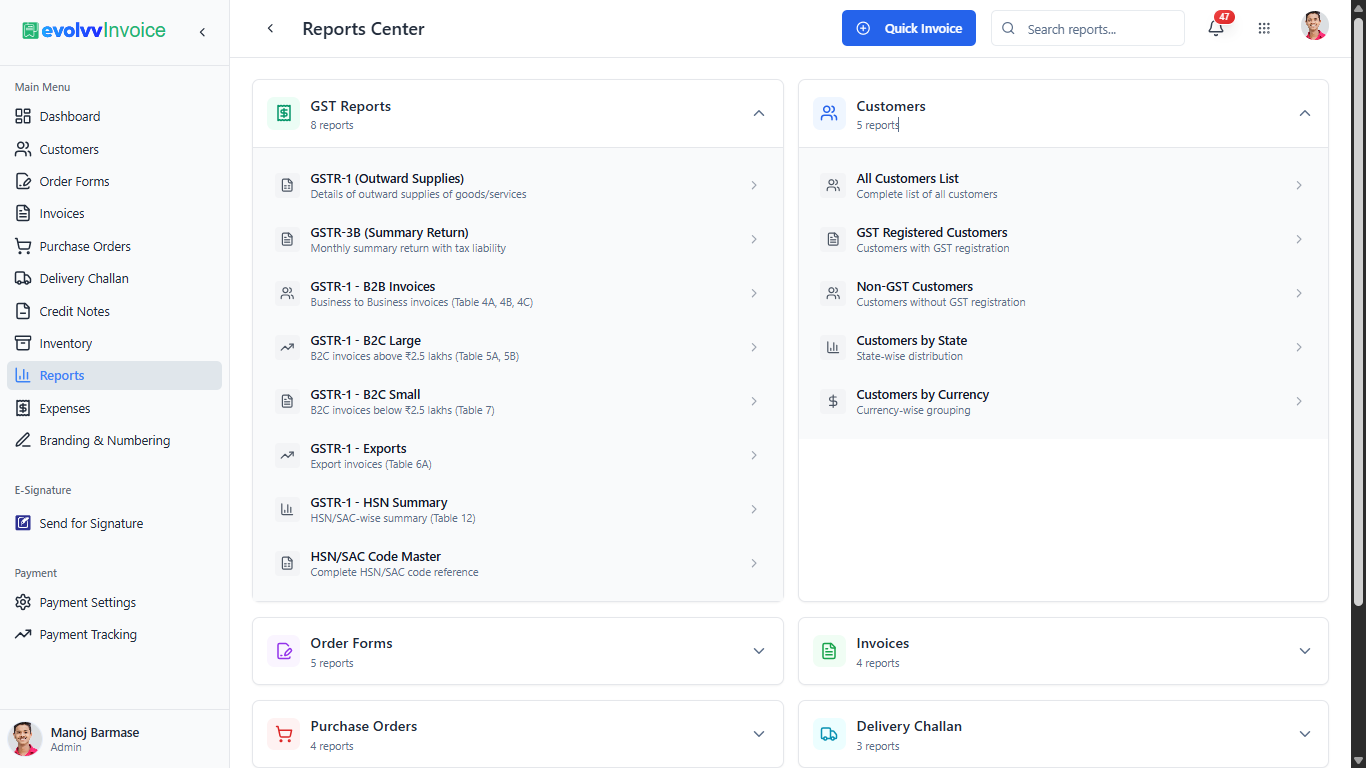
Evolvv dynamically generates government-compliant reports ready for direct filing or sharing with your financial auditor:
- GSTR-1 (Outward Supplies): Complete details of your sales. Evolvv automatically segments this into B2B Invoices, B2C Large, and B2C Small based on invoice value and customer GSTIN.
- GSTR-3B (Summary Return): Your monthly summary return calculating your total tax liability.
- Exports & HSN Summaries: Dedicated reports for overseas billing (Table 6A) and HSN/SAC code-wise summaries (Table 12), ensuring no compliance blind spots.
Step 3: Customer and Operational Analytics
Understanding your client base is just as important as tax filing. Expand the Customers module to access deep CRM analytics.
- GST vs. Non-GST Customers: Quickly segment your B2B clients from regular consumers.
- Geographical & Currency Distribution: The Customers by State and Customers by Currency reports are invaluable for businesses scaling nationally or exporting services overseas.
Exporting Your Data: Once you click into any specific report, you can apply custom date ranges and instantly export the data in CSV or Excel formats, making end-of-month reconciliation completely frictionless.