Configuring Payment Gateway Integrations
Sending an invoice is only the first step; getting paid quickly is the ultimate goal. The Evolvv online invoicing platform eliminates the friction of manual bank transfers by allowing you to integrate top-tier payment gateways directly into your invoices and order forms.
By configuring these settings, your clients will see a secure "Pay Now" button on their digital invoices, allowing them to settle their dues instantly via credit card, UPI, or digital wallets.
Here is a step-by-step guide to configuring your Payment Gateway.
Step 1: Enabling and Selecting Your Gateway
Navigate to the Payment Settings tab located under the Payment section in your left-hand menu.
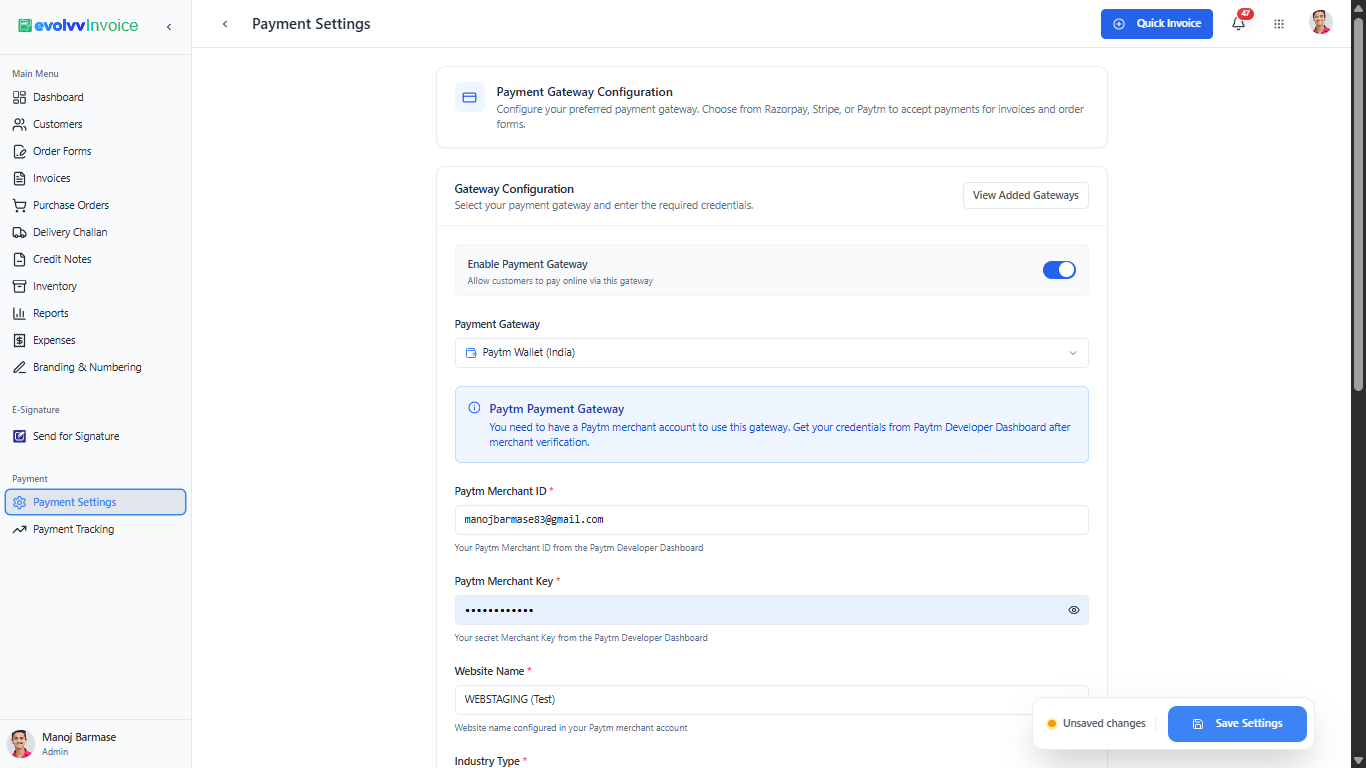
- Enable Payment Gateway: First, ensure this master toggle is switched ON. This allows the platform to append payment links to your generated documents.
- Select Gateway: Choose your preferred payment processor from the dropdown menu (e.g., Paytm Wallet, Razorpay, or Stripe).
Step 2: Entering Secure API Credentials
To route funds to your bank account, you must connect Evolvv to your merchant account using secure API keys. (Note: The exact fields will vary slightly depending on the gateway you choose).
For example, if you select Paytm:
- Merchant ID & Key: Enter your unique Merchant ID and the highly sensitive Secret Merchant Key obtained from your Paytm Developer Dashboard.
- Website Name & Industry: Provide the Website Name (e.g., WEBSTAGING for testing) and select your Industry Type (e.g., Retail) exactly as they are configured in your merchant account.
Step 3: Customer Display and Verification
Scroll down to configure what the client sees during the checkout process and verify your connection.
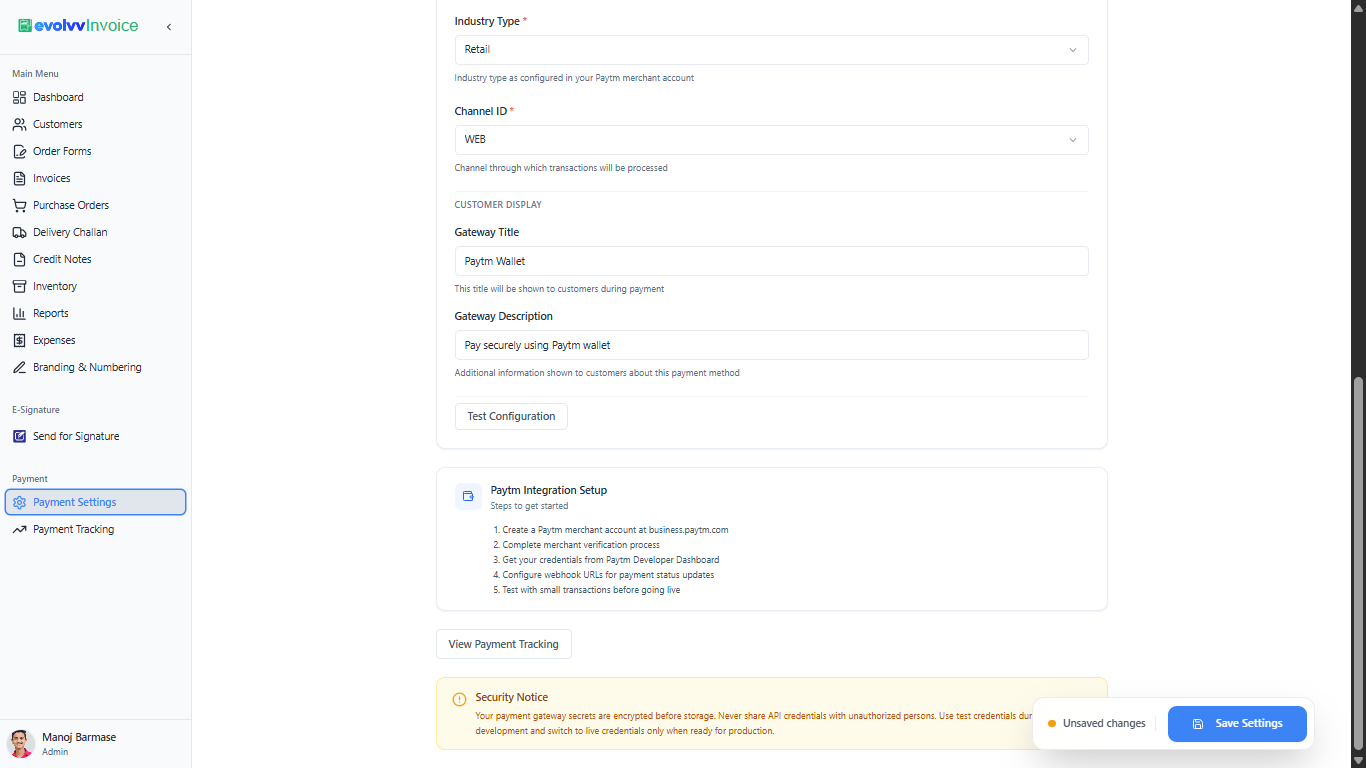
- Customer Display: Set the Gateway Title (e.g., "Paytm Wallet") and a brief Gateway Description (e.g., "Pay securely using Paytm wallet"). This builds trust when the client clicks the payment button.
- Test Configuration: Before going live, you can click the Test Configuration button to ping the gateway and ensure your API credentials are correct.
Crucial Security Notice: Evolvv encrypts all your payment gateway secrets before storing them. However, you should never share your live API credentials with unauthorized personnel. It is highly recommended to use test credentials during initial setup and only switch to live keys when you are ready to accept real transactions.
Once your API keys are verified, click the blue Save Settings button at the bottom right. Your invoices are now ready to collect online payments!