Evolvv Invoice Dashboard Overview
Welcome to the financial command center of the Evolvv business management platform.
The Evolvv Invoice Dashboard provides a real-time, bird's-eye view of your company's financial health. Instead of digging through spreadsheets, you can instantly track sales, monitor unpaid invoices, and analyze your revenue streams—all from one highly visual interface.
This guide breaks down the key components of your Invoice Dashboard so you can make data-driven decisions faster.
1. Welcome Panel & Access Control
At the top of your dashboard, the Welcome Panel provides quick context about your current session.
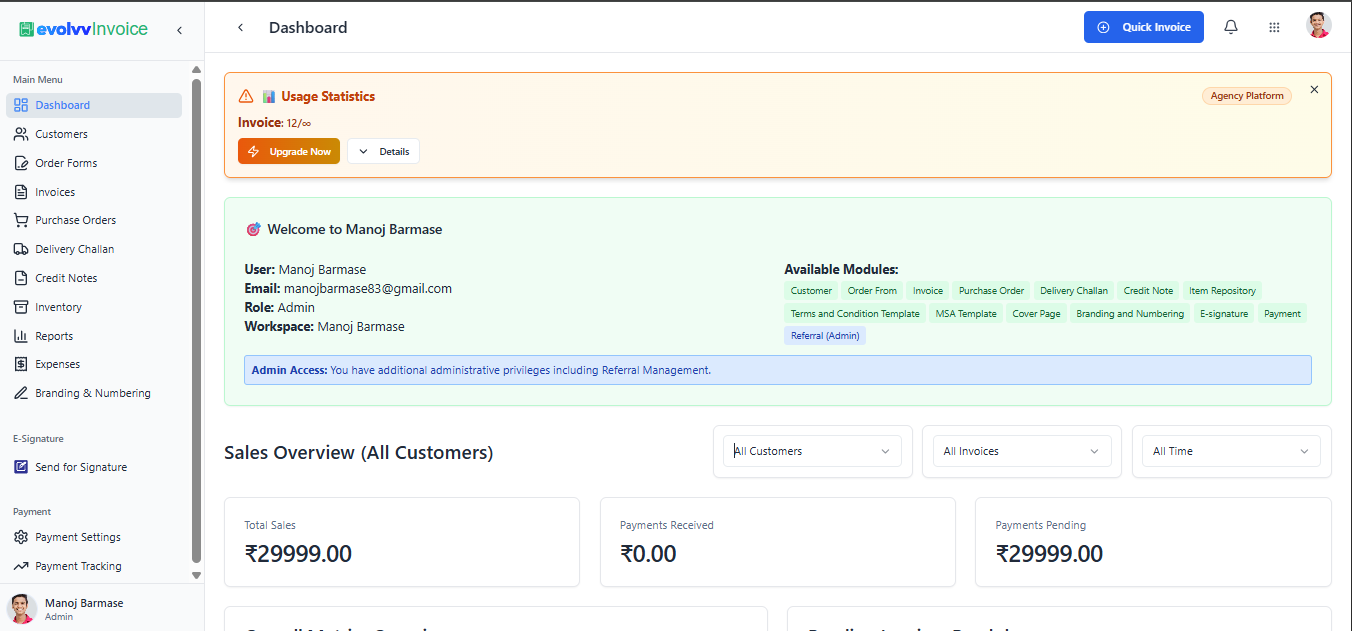
- Workspace & Role: Quickly verify which business profile you are operating under and your permission level (e.g., Admin).
- Available Modules: A quick-reference list of all the tools activated for your account, from Purchase Orders to Branding and Numbering.
- Admin Access Alerts: If you hold administrative privileges, special notifications (like Referral Management access) will appear here.
2. The Sales Overview (Your Core Metrics)
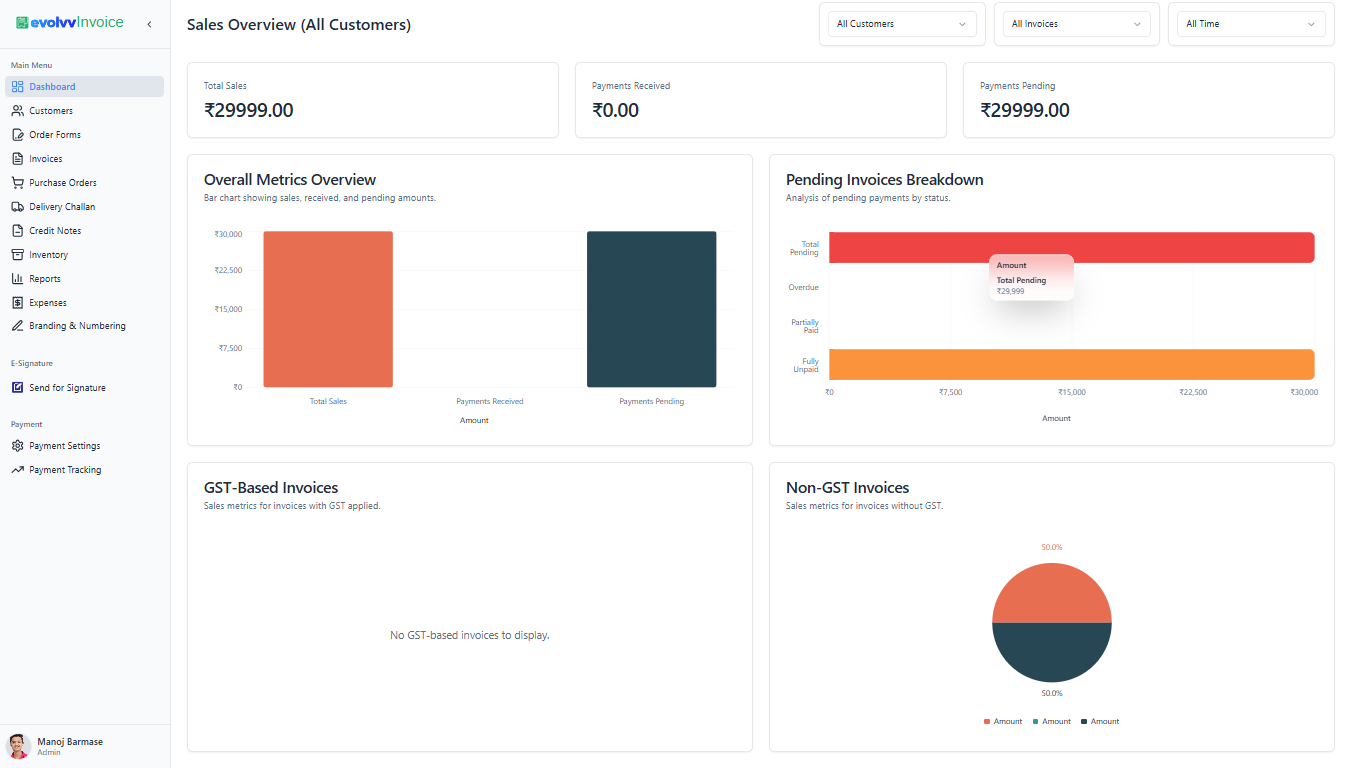
The most critical part of your daily operations is understanding cash flow. The Sales Overview section gives you the exact numbers you need at a glance.
(Note: Highlight the three main metric cards: Total Sales, Payments Received, and Payments Pending)
- Total Sales: The gross value of all invoices generated.
- Payments Received: The actual cash that has hit your accounts.
- Payments Pending: Outstanding amounts that require follow-up.
3. Visualizing Your Cash Flow
To help you spot trends instantly, Evolvv translates your raw data into easy-to-read charts:
- Overall Metrics Overview: A bar chart comparing your total sales against received and pending amounts, helping you quickly assess your collection efficiency.
- Pending Invoices Breakdown: A color-coded analysis showing exactly where your missing revenue is categorized (Total Pending, Overdue, Partially Paid).
4. GST vs. Non-GST Analytics
For businesses operating with taxation, compliance tracking is built right in.
- GST-Based Invoices: Track sales volume specifically for invoices where GST is applied.
- Non-GST Invoices: View metrics for tax-exempt or standard billing, visualized neatly in a pie chart format.
5. Taking Immediate Action
Notice a client has a massive pending payment? Or need to bill a new customer instantly? You don't need to leave the dashboard. Click the Quick Invoice button in the top right corner to instantly launch the invoice creation tool.
What's Next? Now that you understand your high-level metrics, it is time to manage the people who pay you. 👉 Read Next: Managing Your Customers in Evolvv